Presentation software for your service, completely free.

LiveChurch puts song lyrics, Bible verses, announcements and the church schedule on the big screen. You search, press Enter and the slide appears, in the look your church picks.

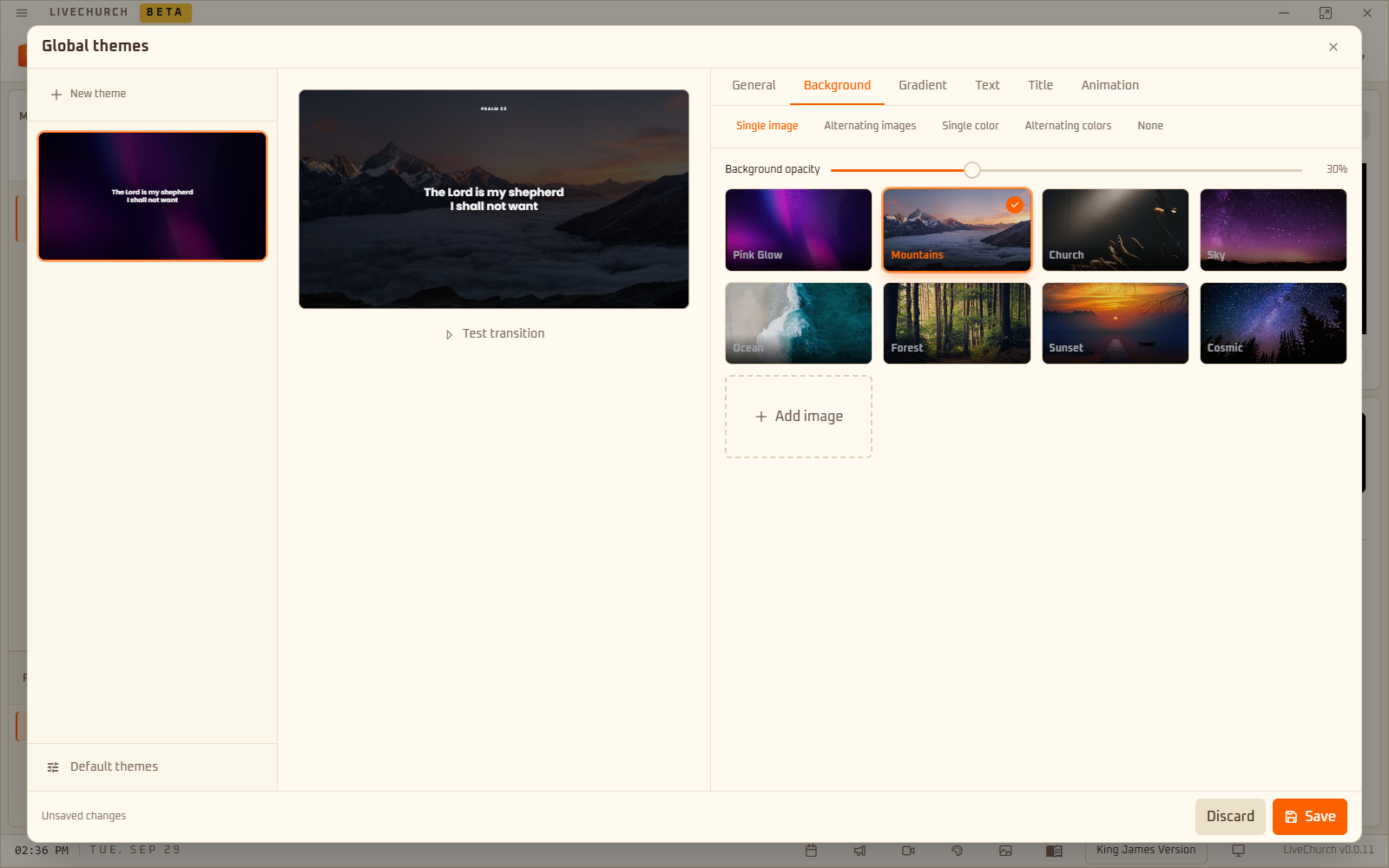
Download for free

Windows and Linux · Open source · The Bible works offline

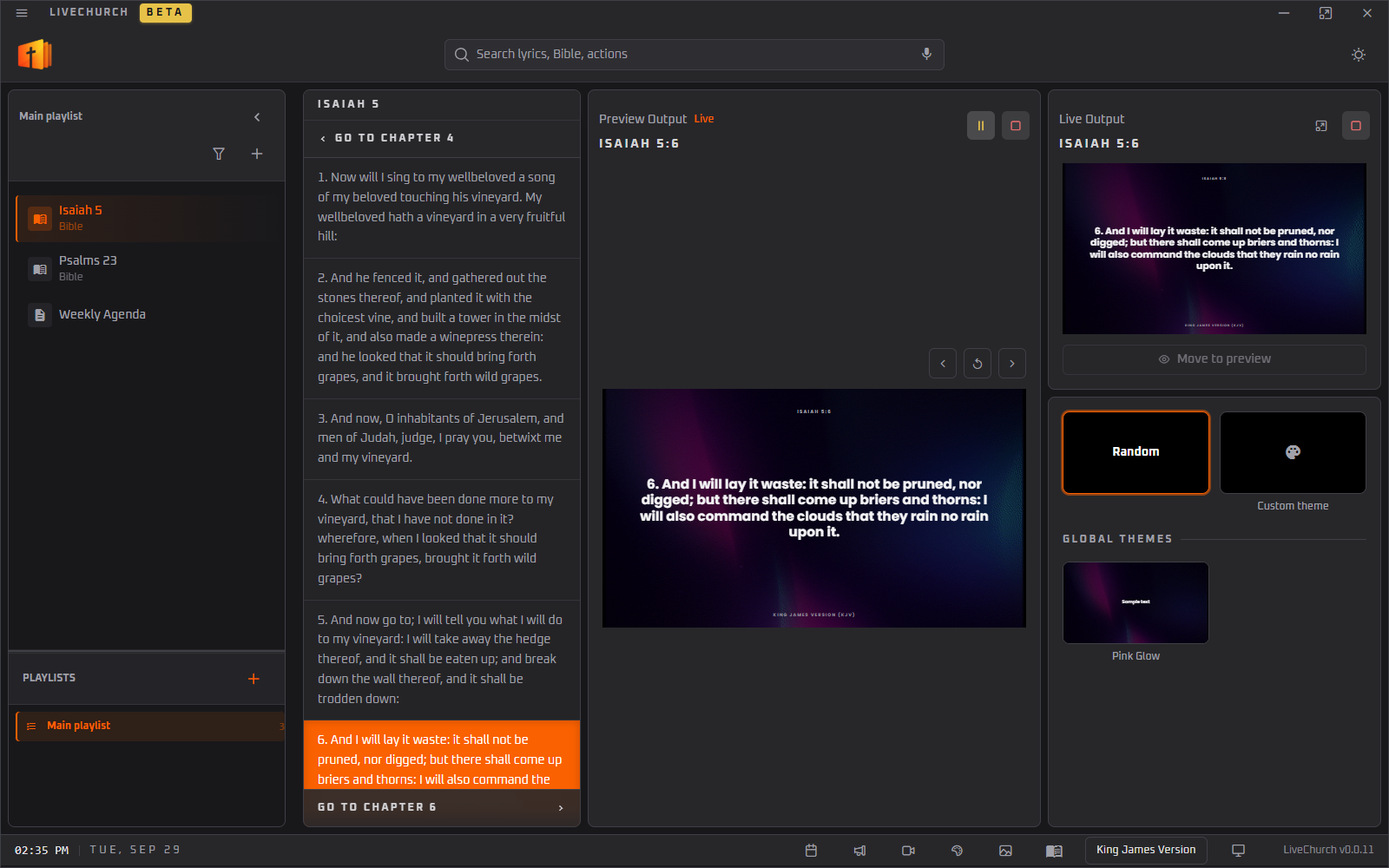
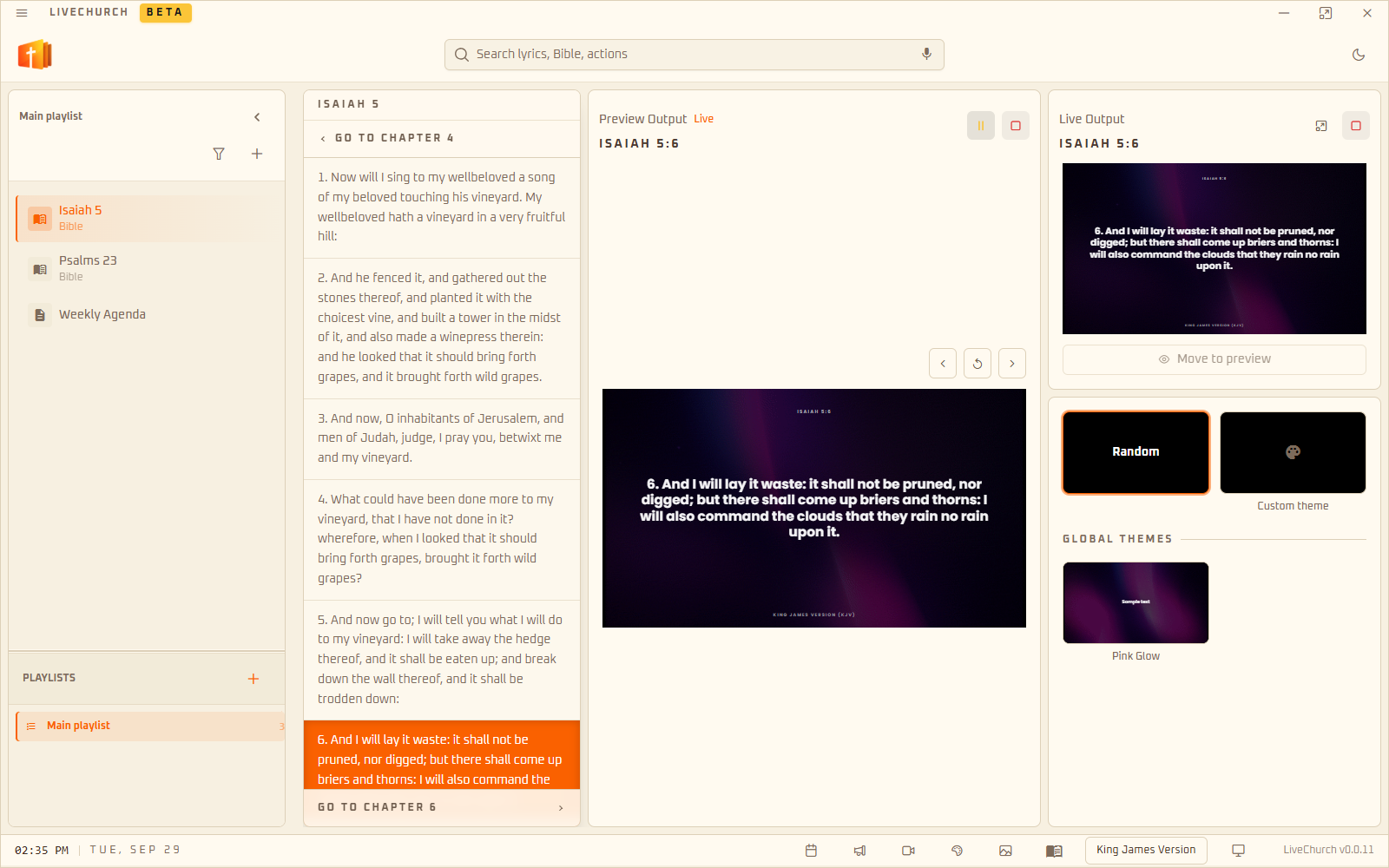
LiveChurch window with Isaiah 5:6 selected and shown on the big screenLiveChurch window with Isaiah 5:6 selected and shown on the big screen

What the software does

Lyrics, verses, announcements and schedule in a single program.

01Search

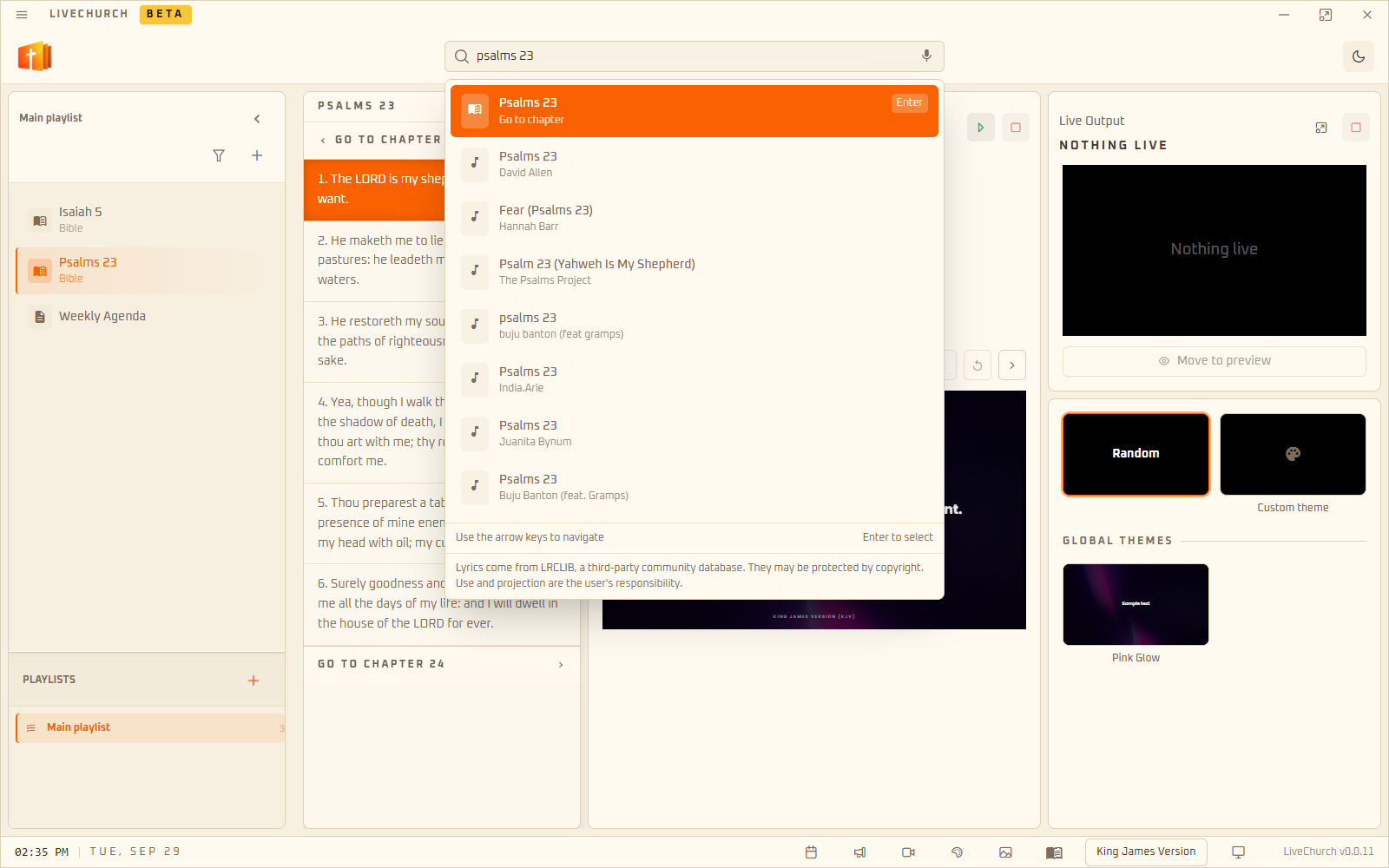
Search lyrics and verses

One search bar finds song lyrics, Bible verses and actions such as creating announcements and generating the schedule.

  • Lyrics of any song, split into slides (needs internet)
  • “john 3:16” jumps straight to the verse
  • “create” and “events” open announcements and the schedule
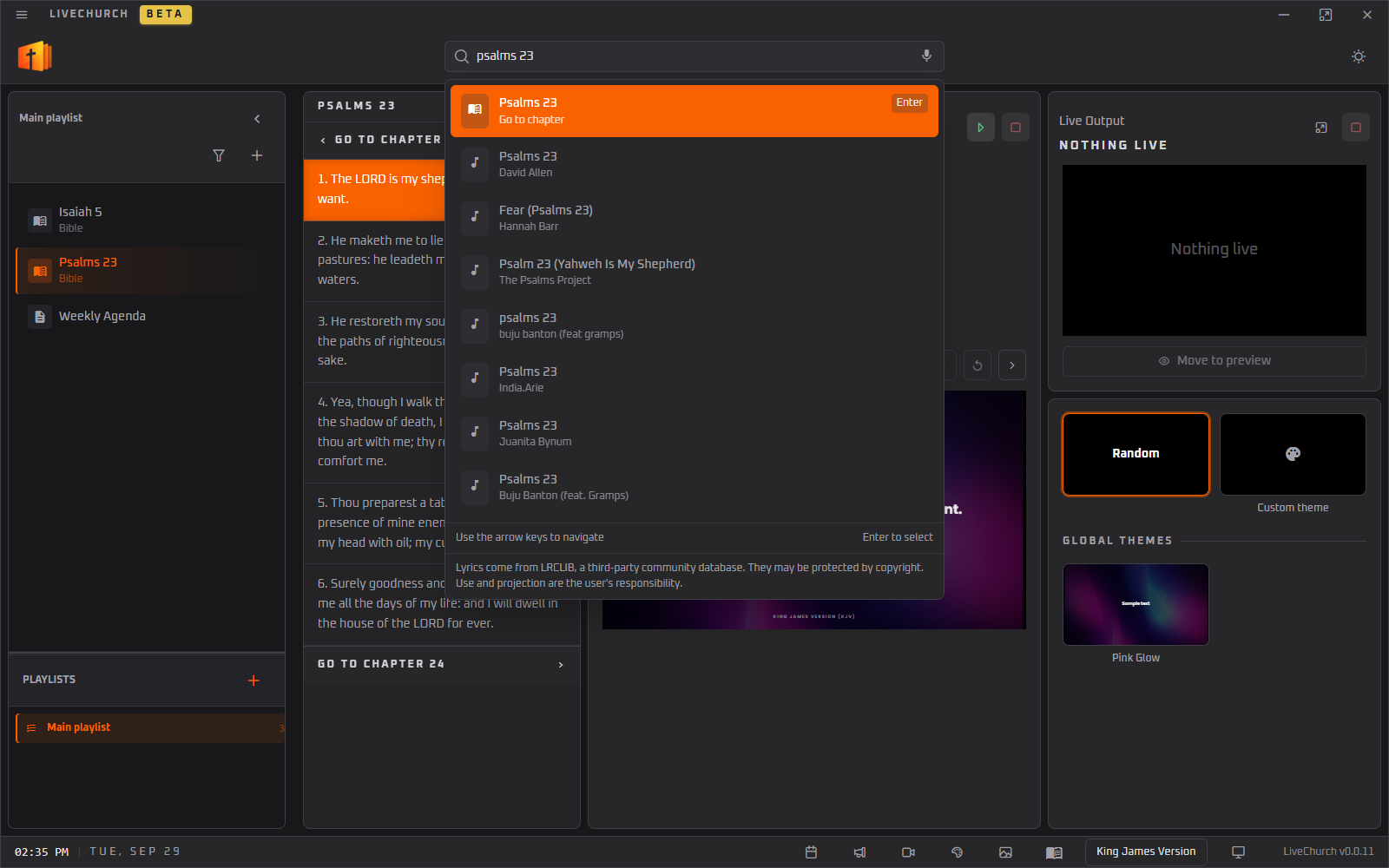
LiveChurch search bar suggesting Psalm 23LiveChurch search bar suggesting Psalm 23

02Themes

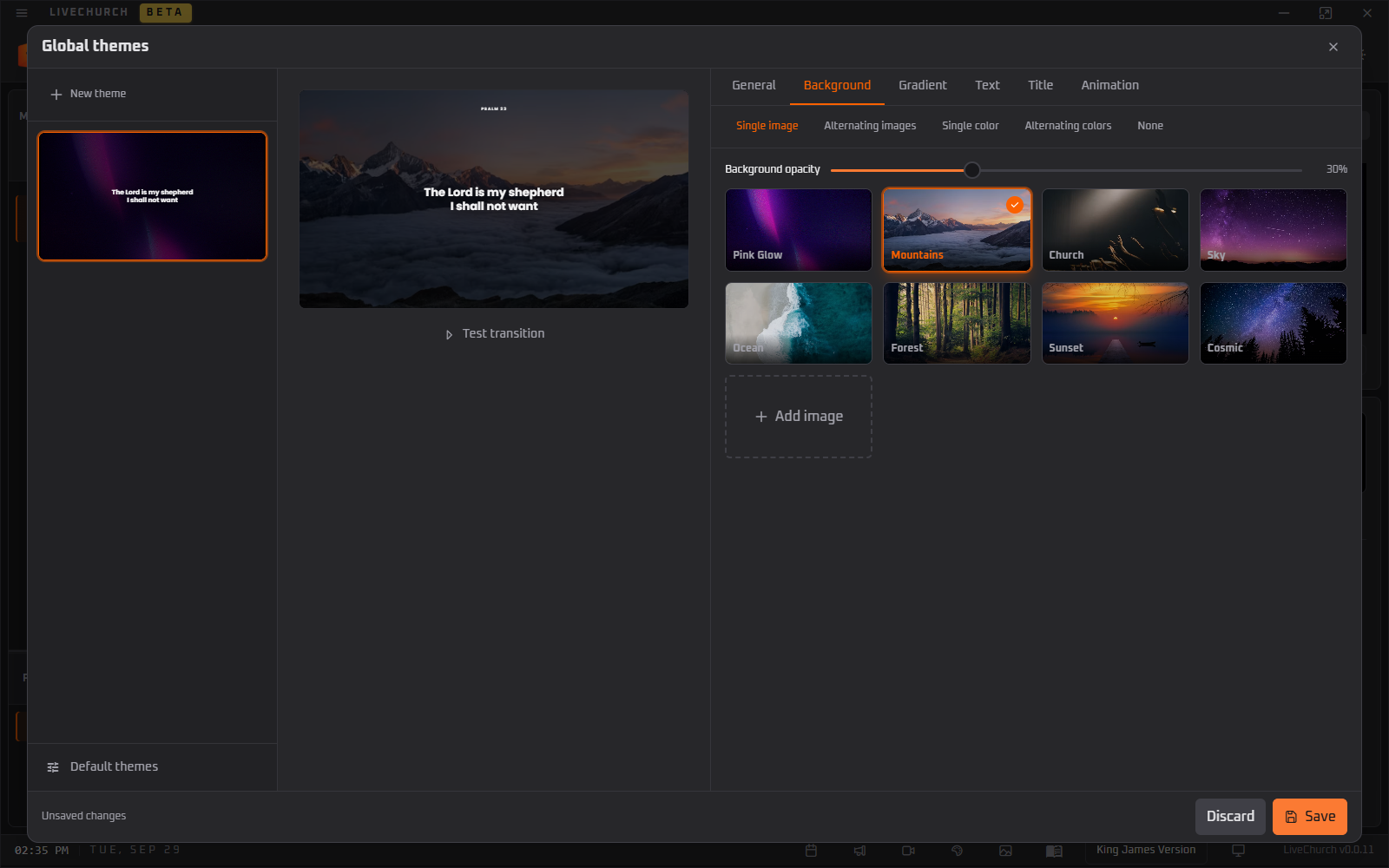
Pick the look of your slides

Each slide uses a theme with a background image, font, gradient, transition and effects such as embers. Switch themes with one click or let the program pick a random one.

  • Image and animated backgrounds
  • Font, size and text position
  • Slide transitions and effects
LiveChurch theme editor with backgrounds and slide previewLiveChurch theme editor with backgrounds and slide preview

03Free-form slides

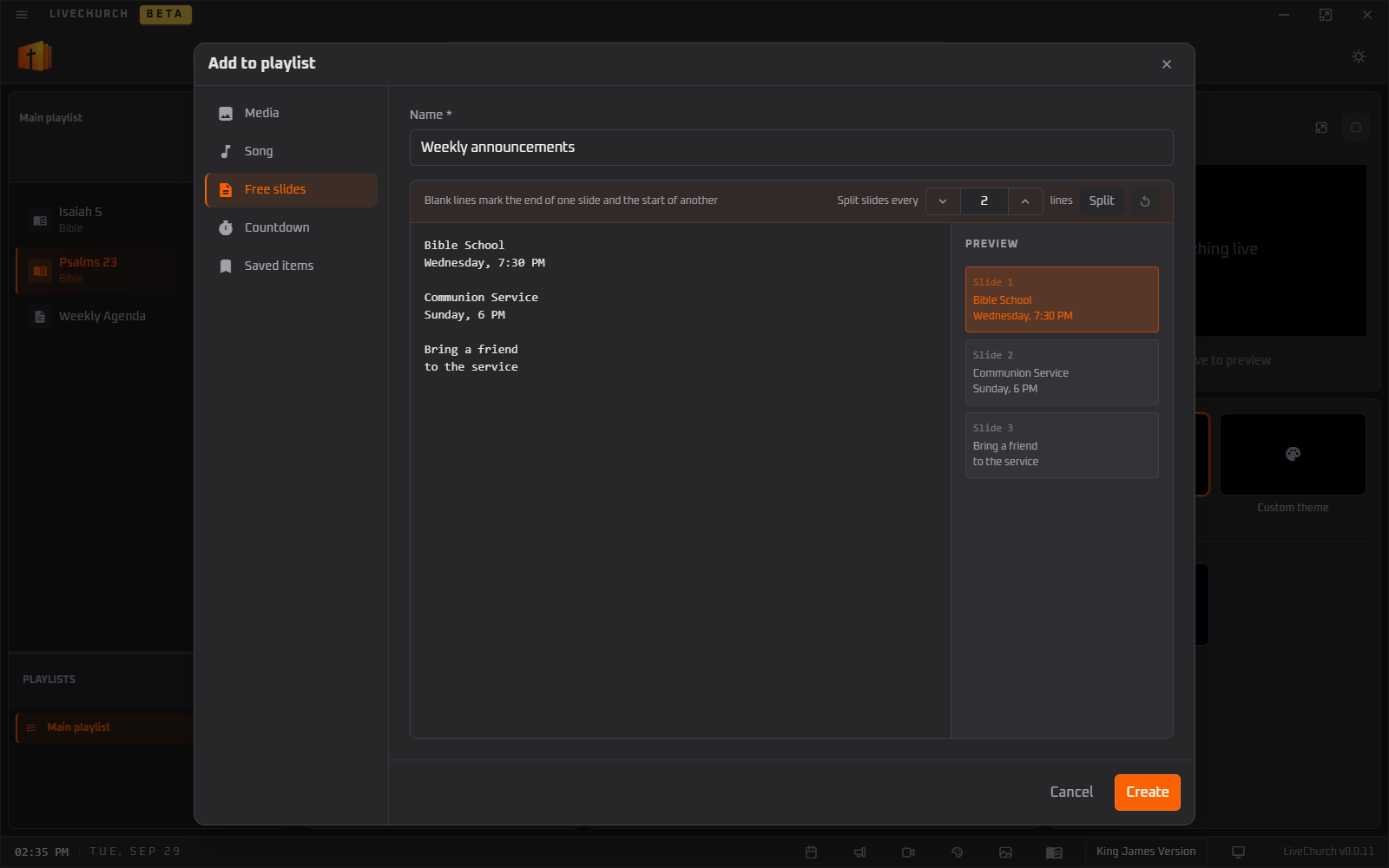
Create slides from any text

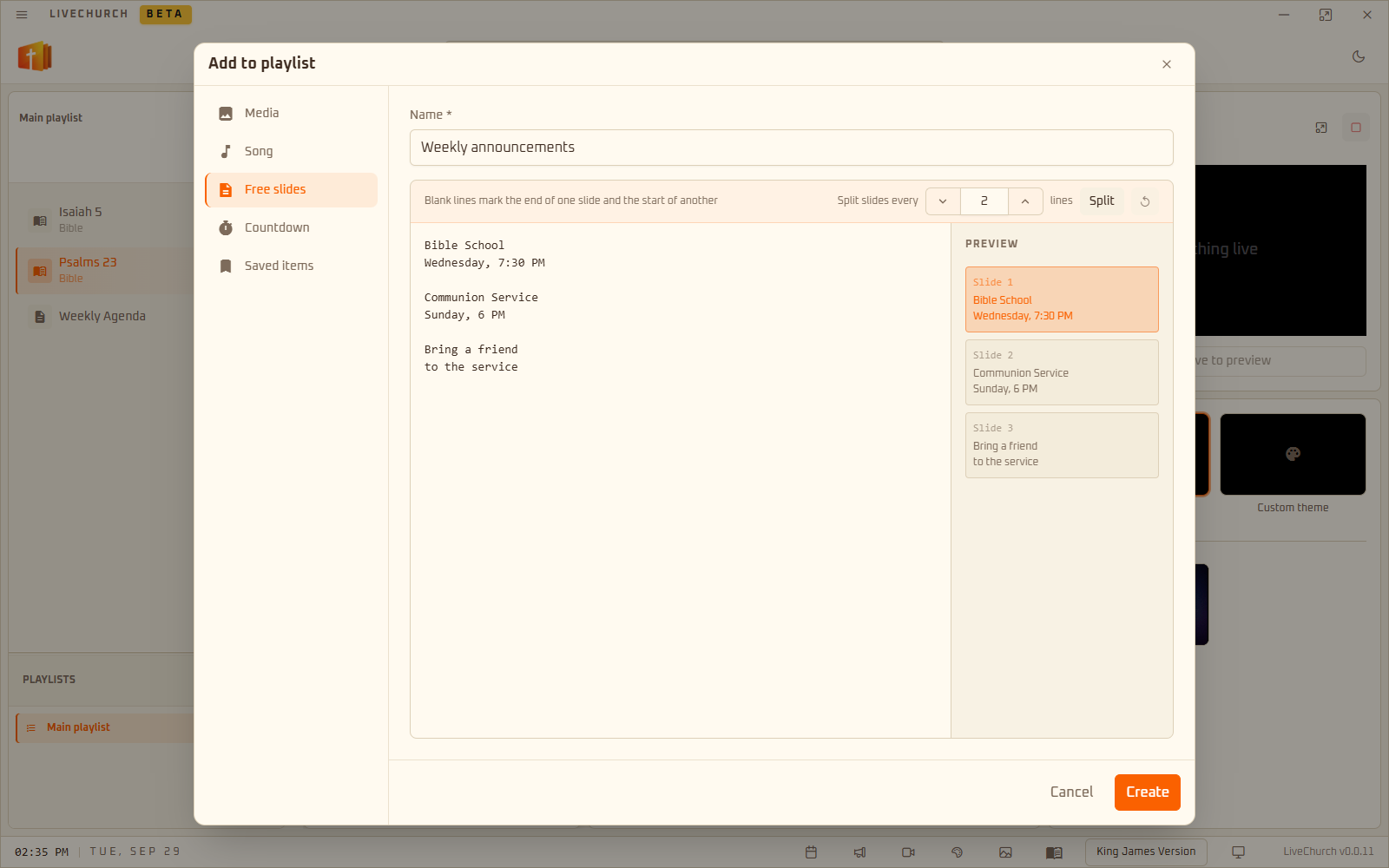
Write announcements, prayers or the day’s program. A blank line separates one slide from the next, and the slide list shows the result as you type.

  • Announcements, prayers and program
  • Instant slide preview
  • Full-screen images and videos
Free-form slide editor previewing how the text splits into slidesFree-form slide editor previewing how the text splits into slides

04Schedule

Generate the events slide

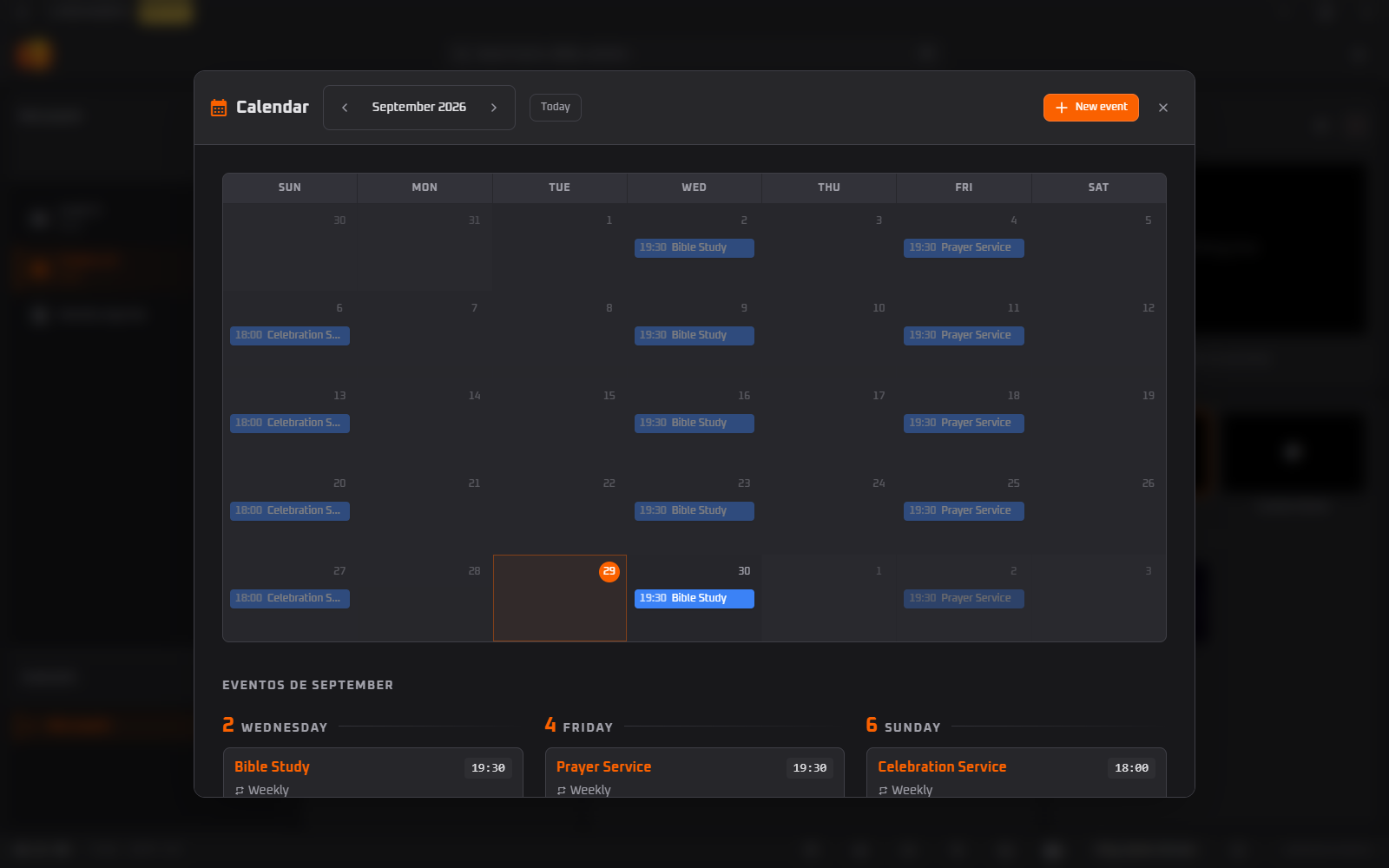
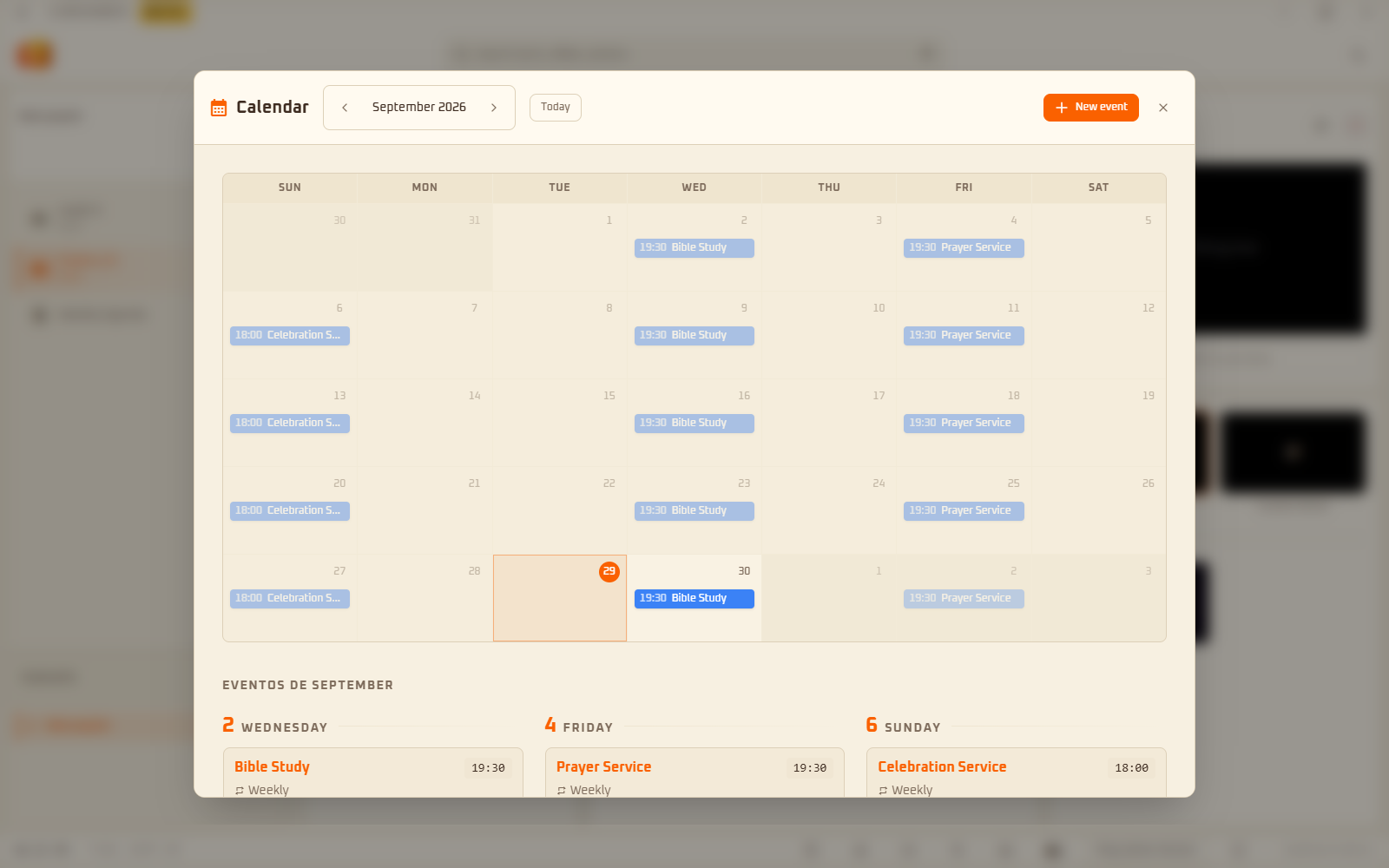
Add one-off, weekly or monthly events. Then choose the period and the program creates slides with the date, time and title of each event.

  • Weekly and monthly events
  • This week, next week or this month
  • Type “events” in the search bar to generate
LiveChurch calendar with weekly eventsLiveChurch calendar with weekly events

05Bible

Bible on the big screen

King James Version, World English Bible and American Standard Version come built in. Pick a verse and it becomes a slide, ready to show.

  • Browse by chapter without leaving the slide
  • Works offline
Bible verse shown on the big screen by LiveChurchBible verse shown on the big screen by LiveChurch

Also includes

Tools to run the service

  • Service playlist

    Build the order of service with songs, verses, announcements, images and videos. Everything is saved on your computer.

  • Preview before showing

    Check the slide in the preview and only then click Show. What is live appears next to it.

  • Big screen or projector

    Pick the monitor in the footer and the projection opens full screen, while you control everything from the main window.

  • Announcement templates

    Create a template with fields like #Name and, for each announcement, fill in only the fields.

  • Quick edit

    Fix a lyric or a text on the spot with Ctrl+E, during the service.

  • Light and dark theme

    Switch between the two modes inside the program.

Free

Price

Every feature in the same download.

Download, install and use. The free download includes:

  • Lyrics of any song, split into slides
  • Bible in 3 versions (KJV, WEB, ASV)
  • Themes, animated backgrounds and effects
  • Free-form slides, announcement templates and schedule
  • Service playlists with images and videos
  • Projection on a big screen or projector
  • Open source, available on GitHub
Download for free

Frequently asked questions

Is it really free?

Yes. LiveChurch is completely free and every feature comes in the same download.

Do I need internet during the service?

The Bible (KJV, WEB and ASV), free-form slides and the schedule work offline. The internet is used to fetch lyrics of other songs and the theme background images.

Can I project the lyrics of any song?

Yes. Search by title and the program fetches the lyrics from the internet and splits them into slides, which you can still edit. This depends on the lyrics service being available.

Which computers does it run on?

Windows and Linux.

Can I project on a TV or projector?

Yes. Connect the screen, pick the monitor in the program’s footer and the projection opens full screen on it, while you control everything from the main window.

Can a volunteer with no experience operate it?

Everything starts in the search bar: you type, pick the result and check the slide preview before sending it to the big screen.

In which language is the program?

The interface comes in Portuguese, English and Spanish, and each language has its own Bible versions. The screenshots on this page show the Portuguese interface.

Is LiveChurch open source?

Yes. The project is open source and lives on GitHub, at github.com/LiveChurch.

Is the program still in beta?

Yes, and it may have instabilities. We recommend testing before the service.

Download LiveChurch for free.

Install it on the big-screen computer and have lyrics and Bible ready before Sunday.

Download for free

Windows and Linux · Open source · Beta